Differences Between Local SEO and General SEO
Search Engine Optimization (SEO) is a broad strategy to improve a website’s visibility on search engines like Google. It can be divided into general SEO (also called traditional or organic SEO) and local SEO, which focuses on location-based searches. Below is a clear explanation of how they differ.
General SEO focuses on achieving national or global visibility. It targets broad keywords such as “best running shoes” to attract users from anywhere. The main goal is to increase overall website traffic, leads, and sales through organic search rankings.
Local SEO focuses on attracting customers within a specific geographic area. It targets location-based searches such as “best running shoes near me” or “running shoes in Bangkok.” The main goal is to appear in local search results, Google Maps, and the Local Pack, which shows the top three nearby businesses.
General SEO uses content creation, backlink building, on-page optimization, and technical SEO such as site speed and mobile friendliness. Ranking factors include content quality, domain authority, user experience, and backlinks. It is best suited for e-commerce websites, blogs, and online-only businesses. Success is measured by traffic volume, keyword rankings, and conversion rates.
Local SEO uses Google Business Profile optimization, local citations, reviews management, and consistent business information. Ranking factors include proximity, relevance, prominence, customer reviews, and profile completeness. It is best suited for restaurants, shops, and service providers. Performance is measured by map impressions, calls, direction requests, and reviews.
In summary, general SEO builds long-term authority across the web, while local SEO helps businesses dominate searches in their immediate area. Combining both strategies provides the best results.
How to Create a Google Business Profile
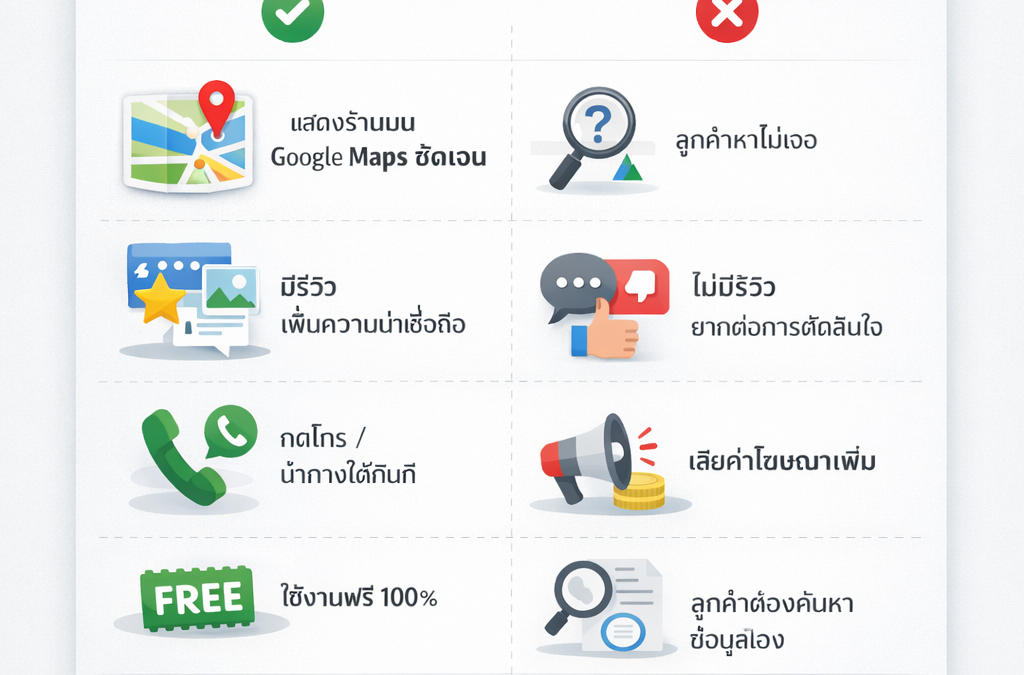
A Google Business Profile is a free tool that helps your business appear in Google Search and Google Maps. It improves local visibility, provides customer information, and allows review management.
- Sign in or create a Google account
Go to business.google.com and sign in using a Google account connected to your business. Create a new account if needed. - Search for your business
Enter your business name and address. If it already exists, claim it. If not, add a new business to Google. - Enter business details
Add your official business name, select the correct category, enter your physical address or service area, and define the regions you serve. - Add contact information
Include your phone number, website link, and business hours so customers can contact you easily. - Verify your business
Choose a verification method such as postcard mail, phone or text, email, video verification, or instant verification if eligible. - Complete the setup
Add photos, services, attributes, and a short business description with relevant keywords.
What to Do After Creating Your Google Business Profile
- Optimize for visibility
Upload high-quality photos and videos, write a strong business description with local keywords, add products or services, and enable messaging or bookings if available. - Manage reviews
Encourage customers to leave reviews and respond to all reviews professionally within 24 to 48 hours. - Update regularly
Post updates, offers, or events weekly and keep your business hours and contact information accurate. - Integrate with local SEO
Maintain consistent business information across all platforms, build local backlinks, and run local advertising campaigns if appropriate. - Monitor and analyze
Review performance insights monthly, track customer actions, and fix issues such as duplicate or incorrect listings.
Frequently Asked Questions
- What is the main benefit of local SEO compared to general SEO
Local SEO helps businesses appear in nearby searches, while general SEO focuses on broader online visibility. - Do I need a website for a Google Business Profile
A website is not required, but it is recommended for better credibility and performance. - How long does verification take
Verification can be instant or take one to two weeks depending on the method used. - Is Google Business Profile free
Yes, it is completely free to use. - Can I manage multiple locations
Yes, multiple business locations can be managed from one account. - What if my business is not eligible
Service-area or home-based businesses must follow Google’s eligibility guidelines. - How does Google Business Profile affect SEO
It directly improves local SEO and indirectly supports general SEO. - What should I do if I receive negative reviews
Respond professionally and report fake reviews if necessary. - Can Google Business Profile be used in Thailand
Yes, it is available in Thailand and supports Thai language listings. - How do I edit or delete my profile
Log in to the Business Profile Manager to edit or remove your listing. Some changes may require re-verification.